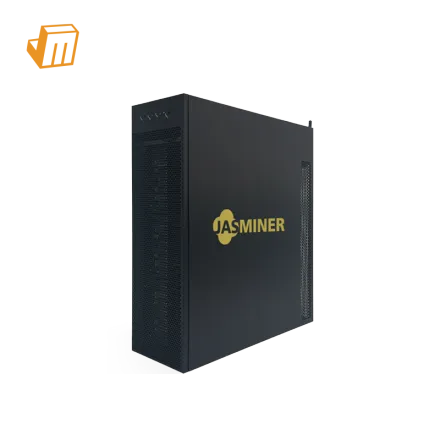

Deployment Prerequisite Checklist
Successfully deploying your JASMINER X4-Q 1040MH/ 370W demands meticulous preparation to ensure not only immediate functionality but also long-term operational stability and efficiency. Overlooking foundational infrastructure elements can lead to frustrating downtime, reduced profitability, or even premature hardware failure. Before powering on this EtHash/Etchash miner, it is imperative to confirm that your chosen environment, electrical provisions, and network connectivity are robust enough to support its continuous operation. A thorough pre-deployment check minimizes unforeseen issues, safeguarding your investment and maximizing hash production from the outset.
To establish a solid operational foundation, consider these critical prerequisites:
· Dedicated Electrical Circuitry: The JASMINER X4-Q 1040MH/ 370W is known for its relatively low power draw of 370W. However, even this modest consumption requires a stable and dedicated power source. Connecting it to an overloaded general-purpose circuit can lead to tripped breakers, inconsistent voltage, and potential damage to the miner or other electronics. For optimal performance and safety, allocate a dedicated 15A or 20A circuit, especially if planning to deploy multiple units. Ensure your power cables are rated appropriately for continuous load.
· Robust Network Connectivity: A stable, low-latency wired Ethernet connection is absolutely non-negotiable for ASIC mining. Wi-Fi introduces unacceptable levels of latency, packet loss, and potential instability, which directly translate to rejected shares and a noticeable reduction in your effective hashrate and earnings. Verify that your network infrastructure—router, switch, and cabling—is in excellent working order and provides an uninterrupted, high-speed connection to the internet.
· Controlled Thermal Environment: Despite its efficient design, the JASMINER X4-Q 1040MH/ 370W still generates heat. Effective heat dissipation is crucial for maintaining optimal chip temperatures and extending the miner's lifespan. The deployment location must offer adequate ventilation, facilitating a constant flow of cool intake air and efficient exhaust of hot air. Ambient temperatures should ideally be maintained below 35°C (95°F) to prevent thermal throttling, which can degrade performance and accelerate wear on components.
· Essential Management Tools: Prior to connecting the miner, ensure you have a computer or mobile device equipped with necessary network diagnostic tools. This includes an IP scanning utility (e.g., Angry IP Scanner, Advanced IP Scanner) to quickly locate the miner on your local network. A reliable web browser is also essential for accessing the miner's web-based configuration interface. Having these tools ready streamlines the initial setup process significantly.

Configuration & Networking
Once the physical environment and power infrastructure for your JASMINER X4-Q 1040MH/ 370W are secured, the next critical phase involves integrating it into your network and directing its hashing power to a mining pool. This process, while straightforward, demands attention to detail as any misconfiguration can result in the miner operating inefficiently or failing to contribute to your chosen EtHash/Etchash pool. Proper setup ensures that your miner is visible on your network and that its generated shares are correctly submitted and credited to your wallet.
1. Establishing Network Presence and Accessing the Web Interface:
· Connect the JASMINER X4-Q 1040MH/ 370W to your local network using a standard Ethernet cable and power it on. Allow a few minutes for the unit to fully boot up and acquire an IP address from your router via DHCP.
· On a computer connected to the same network, utilize an IP scanning tool to identify all active devices. Look for an entry corresponding to your miner, often identifiable by its manufacturer (Jasminer) or a unique MAC address. Alternatively, your router's administration page (typically accessed via 192.168.1.1 or 192.168.0.1) usually lists connected clients and their assigned IP addresses.
· Once the miner's IP address is confirmed, open a web browser and enter this IP into the address bar. You will be prompted for login credentials. The default username and password are often root/root or admin/admin; consult your miner's documentation if these standard credentials do not work.
2. Configuring Mining Pool Parameters:
· Within the JASMINER's web interface, navigate to the "Miner Configuration" or "Pool Settings" section. This area is where you specify the details of your chosen mining pool. You will typically find fields for "Pool URL," "Worker," and "Password."
· For the JASMINER X4-Q 1040MH/ 370W, which mines EtHash/Etchash (ETC), input the stratum URL of your preferred EtHash/Etchash mining pool (e.g., stratum+tcp://etc.2miners.com:1121). It is crucial to select a reputable pool that supports the EtHash/Etchash algorithm to ensure compatibility and consistent payouts.
· In the "Worker" field, enter your Etchash wallet address. Some pools require an additional worker name appended to the wallet address (e.g., YOUR_ETC_WALLET_ADDRESS.worker1). The "Password" field is commonly set to x or left blank, depending on the specific pool's configuration.
· To enhance resilience against pool downtime, configure at least two backup pools (Pool 2 and Pool 3) with different server locations or even different providers. After entering all the details, save the settings. The miner will typically reboot or restart its mining service to apply the new configuration and begin hashing.
> Pro Tip: To prevent potential IP address conflicts and simplify future access, consider implementing a DHCP reservation for your JASMINER X4-Q 1040MH/ 370W within your router's settings. This ensures the miner always receives the same static IP address, making it consistently discoverable and accessible without requiring repeated IP scans.
Diagnostic Flowchart
Miner Not Hashing or Zero MH/s Output
If your JASMINER X4-Q 1040MH/ 370W appears to be powered on but is not reporting a hashrate or shows consistently zero MH/s, the initial focus should be on connectivity and pool settings. First, confirm all power and Ethernet cables are securely connected and that any indicator lights on the miner and network switch are active. Access the miner's web interface and navigate to the "Miner Status" or "Logs" section. Here, look for specific error messages related to network connection failures, "pool unreachable," or "authentication failed." Often, an incorrect stratum URL, an improperly formatted worker name (your wallet address), or an incorrect pool password is the root cause. Double-check these entries in the "Pool Settings," ensuring they precisely match your chosen EtHash/Etchash pool's requirements. If the issue persists, try switching to a pre-configured backup pool to rule out a temporary pool-side problem.
Elevated Temperatures or Fan Malfunctions
Sustained high operating temperatures can lead to performance degradation, thermal throttling, and ultimately, hardware damage. If the miner's web interface reports chip temperatures exceeding optimal thresholds (typically above 80°C) or if fans are constantly running at maximum RPM, a cooling issue is likely present. Begin by inspecting the physical environment: ensure the miner is not in an enclosed space, that its intake and exhaust vents are unobstructed, and that ambient room temperature is within acceptable limits. Dust accumulation on heatsinks and fan blades is a common culprit; use compressed air to thoroughly clean these components. Verify that all cooling fans are spinning freely and consistently; a seized or failing fan will require immediate replacement. In rare instances, a firmware glitch might misreport temperatures or control fan speeds erratically, necessitating a factory reset or a verified firmware reflash.
Network Disconnections or Unreachable Interface
When your JASMINER X4-Q 1040MH/ 370W frequently disconnects from the network or its web interface becomes inaccessible, the problem typically resides within your network infrastructure or configuration. Start by checking the integrity of the Ethernet cable for any visible damage or loose connections at both the miner and your router/switch. Confirm that the network port on your switch or router is active and functioning correctly by testing it with another device. If you previously configured a static IP address for the miner, verify that it does not conflict with another device on your network and that it falls within your router's designated IP range. Temporarily switching the miner's network settings back to DHCP can help diagnose if the static IP configuration is the issue. Additionally, review your router's firewall settings, as an overly restrictive firewall could inadvertently be blocking the miner's communication with external mining pools.
Technical Support
Should the diagnostic steps outlined above prove insufficient in resolving persistent operational issues with your JASMINER X4-Q 1040MH/ 370W, JingleMining's expert technical support team is available to provide advanced assistance. Our specialists possess deep knowledge of Jasminer hardware and EtHash/Etchash mining protocols, offering tailored guidance for complex troubleshooting, firmware management, or intricate network configurations. Do not hesitate to leverage our professional support to minimize operational downtime and ensure the continuous, efficient performance of your mining assets. Visit the JingleMining website to connect with our support team.
Frequently Asked Questions (FAQ)
Q: What is the ideal environment for deploying the JASMINER X4-Q 1040MH/ 370W?
A: The ideal environment for the JASMINER X4-Q 1040MH/ 370W involves a well-ventilated space with an ambient temperature below 35°C (95°F) and low humidity. Ensuring proper airflow and preventing dust accumulation are crucial for maintaining optimal operating temperatures and prolonging the miner's lifespan.
Q: How do I ensure my JASMINER X4-Q 1040MH/ 370W is connecting to the correct mining pool?
A: You must accurately enter the stratum URL of your chosen EtHash/Etchash mining pool and your ETC wallet address into the miner's web interface under the "Pool Settings" section. Double-check these entries for typos and ensure the pool supports the EtHash/Etchash algorithm for ETC mining.
Q: What should I do if my miner's web interface is unreachable?
A: If the miner's web interface is unreachable, first check all network cables for secure connections and verify that the miner is powered on. Use an IP scanner to confirm the miner's current IP address on your network, as it may have changed, or restart your router and the miner to refresh network assignments.