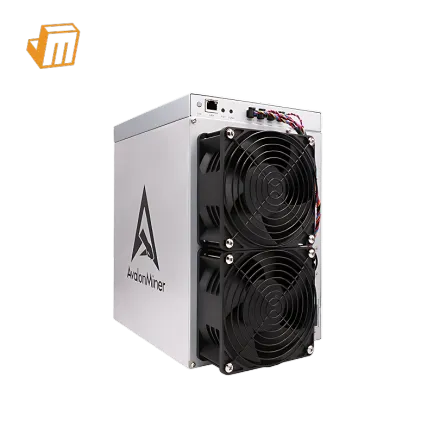

Deployment Prerequisite Checklist
Before embarking on the setup process for your Canaan Avalon A1566, a thorough preparation of your operational environment is paramount. This advanced SHA-256 ASIC miner, designed for Bitcoin mining, demands specific considerations to ensure optimal performance and longevity. A successful first boot hinges on having the correct infrastructure in place, mitigating potential issues before they arise. This checklist outlines the essential components and conditions required for a smooth deployment, ensuring your 185TH/s hashing power is brought online efficiently and securely. Proper planning here directly translates to reduced downtime and maximized mining revenue, setting a solid foundation for your Bitcoin mining endeavors.
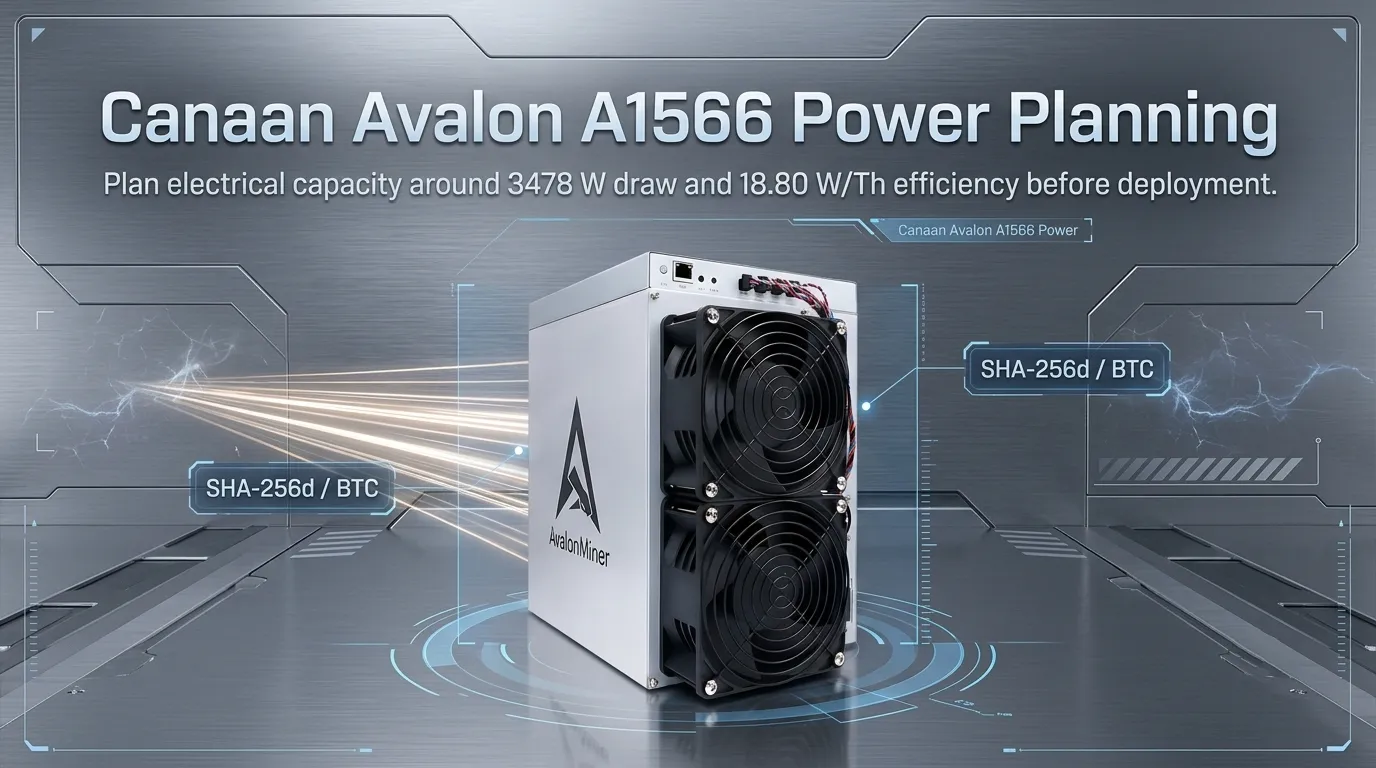
· Stable Power Supply: The Canaan Avalon A1566 has a significant power draw of 3478 W. You will require a dedicated, stable power circuit capable of handling this load. Ensure the circuit breaker is rated appropriately and that the power outlet is a high-quality, grounded NEMA L6-30R or equivalent industrial-grade receptacle. Avoid daisy-chaining power strips or using extension cords that are not rated for the miner's full wattage. A reliable Uninterruptible Power Supply (UPS) for critical network components is also advisable to prevent data corruption during brief power fluctuations.
· Robust Network Connectivity: Consistent and stable internet access is non-negotiable for ASIC mining. The Avalon A1566 requires a reliable network connection to communicate with your chosen mining pool. A wired Ethernet connection is strongly recommended over Wi-Fi for its superior stability and lower latency. Ensure your router has sufficient DHCP capacity to assign an IP address to the miner and that your network firewall is configured to allow outbound connections on the necessary Stratum ports.
· Adequate Cooling and Ventilation: With a power consumption of 3478 W, the Avalon A1566 generates substantial heat. Operating the miner in an environment with controlled ambient temperatures is crucial for its performance and lifespan. Aim for an operating temperature range as specified by Canaan, typically below 40°C (104°F). Ensure the deployment area has excellent airflow, with intake and exhaust systems designed to dissipate heat effectively. Proximity to ventilation systems or dedicated cooling units is highly recommended, especially for larger deployments.
· Essential Tools and Software: You will need a computer or mobile device on the same local network to access the miner's web interface for configuration. A network scanner tool (e.g., Angry IP Scanner, FING) is invaluable for discovering the miner's IP address if it's not automatically assigned or known. A small Phillips head screwdriver might be necessary for securing Ethernet cables or minor physical adjustments. Familiarity with basic network concepts, such as IP addresses, subnet masks, and DNS, will greatly assist in the configuration process.
Configuration & Networking
Once your Canaan Avalon A1566 is physically set up and all prerequisite conditions are met, the next critical step involves configuring its network settings and connecting it to a mining pool. This process typically involves accessing the miner's built-in web interface, which serves as the central control panel for all operational parameters. A stable network connection is vital during this phase, as any disruption could lead to incomplete configuration or necessitate a restart of the setup process. Careful attention to detail here ensures that your 185TH/s of SHA-256 hashing power is directed effectively towards Bitcoin mining.
1. IP Address Discovery and Access: Upon powering on the Canaan Avalon A1566, it will attempt to obtain an IP address from your network via DHCP. If your DHCP server is functioning correctly, the miner should receive an IP address within a few minutes. To find this IP address, you can use a network scanning utility on a computer connected to the same network. These tools will list all active devices on your network, allowing you to identify the Avalon A1566 by its MAC address or hostname (often found on a sticker on the miner itself). Alternatively, some miners can be configured to output their IP address via serial console or by pressing a specific button combination, though this is less common for initial setup.Once the IP address is identified, open a web browser and navigate to this IP address. You will typically be prompted to log in with default credentials, which are usually found in the miner's manual or on the manufacturer's website.
2. Stratum Configuration for Mining Pools: After successfully accessing the miner's web interface, you will need to configure its connection to your chosen Bitcoin mining pool. This involves entering the pool's Stratum server address, port number, your mining username (or worker name), and password. The Stratum protocol is essential for real-time communication between the miner and the pool, allowing for efficient distribution of mining tasks and submission of valid blocks.
Ensure you have obtained these details from your mining pool provider. It is advisable to select a pool with low latency to your location and a favorable fee structure.
> Pro Tip: For enhanced security and stability, consider assigning a static IP address to your Canaan Avalon A1566 within your router's settings. This prevents the miner's IP address from changing after a reboot, ensuring your pool configuration remains valid and accessible without needing to re-scan the network.
3. Firmware Updates and Monitoring: Most ASIC miners, including the Canaan Avalon A1566, support firmware updates. It is highly recommended to check for the latest stable firmware version on Canaan's official support website and apply it after initial successful configuration. Firmware updates often include performance enhancements, bug fixes, and improved security features. Within the web interface, you will also find monitoring sections that display real-time hashrate, temperature, fan speed, and power consumption. Regularly reviewing these metrics is crucial for identifying any performance anomalies or potential hardware issues. Pay close attention to the efficiency rating of 18.80 W/TH; deviations from this under normal operating conditions could indicate a problem.
Diagnostic Flowchart
Troubleshooting the Canaan Avalon A1566 involves a systematic approach to identify and resolve common operational issues that can affect its 185TH/s Bitcoin mining performance. The following diagnostic steps address frequent problems encountered during setup and ongoing operation, focusing on stability, connectivity, and hardware integrity.
Miner Not Connecting to Mining Pool
If your Avalon A1566 is powered on and has an IP address but fails to connect to the mining pool, the issue most commonly lies with the network configuration or connectivity. First, double-check the Stratum server address, port, username, and password entered in the miner's web interface. A single typo can prevent a connection. Verify that your internet connection is stable and that there are no network outages. Ensure your firewall is not blocking the outgoing connection to the pool's Stratum port. If you are using a VPN or proxy, temporarily disable it to rule out interference. As a final step, try connecting to a different, reputable mining pool as a test; if it connects successfully, the issue may be with your primary pool's server or settings.
Low Hashrate or Hashrate Drops
A significant deviation from the advertised 185TH/s hashrate, or frequent drops in performance, can indicate overheating, insufficient power, or hardware degradation. Check the miner's internal temperature readings via the web interface. If temperatures are exceeding the recommended operating range, improve ventilation or cooling. Ensure the power supply is stable and delivering the full 3478 W required; an unstable or insufficient power source can lead to reduced performance. Inspect the miner for any visible signs of damage, such as burnt components or loose connections. If the hashrate remains consistently low after checking these factors, it may indicate a fault with the hashing boards or other internal components, requiring professional assessment.
Miner Becomes Unresponsive or Reboots Randomly
Random reboots or an unresponsive web interface can stem from power supply instability, overheating, or firmware issues. Confirm that the power source is stable and capable of handling the miner's peak load without voltage drops. Monitor temperatures closely, as overheating is a common cause of unexpected shutdowns. If the miner is still running the default firmware, consider performing a firmware update to the latest stable version from Canaan's official website, as this often resolves stability bugs. Ensure all internal connections are secure, particularly the cables connecting the hashing boards to the control board. If the problem persists after these checks, it may indicate a hardware fault requiring technical support.
Technical Support
Should you encounter persistent issues with your Canaan Avalon A1566 that cannot be resolved through the troubleshooting steps outlined above, the JingleMining technical support team is ready to assist. Our experts are well-versed in the intricacies of ASIC miner deployment and can provide guidance on advanced configuration, performance optimization, and hardware diagnostics. For specialized assistance, warranty claims, or to discuss custom deployment solutions tailored to your operational needs, please do not hesitate to visit the JingleMining website or contact our support channels directly.
Frequently Asked Questions (FAQ)
Q: What is the optimal ambient temperature for operating the Canaan Avalon A1566?
A: The Canaan Avalon A1566 is designed to operate efficiently within a specific temperature range, typically below 40°C (104°F) ambient. Exceeding this can lead to thermal throttling, reduced hashrate, and potential long-term damage.
Q: How can I reset the Canaan Avalon A1566 to factory settings if I forget the password?
A: Most Canaan miners have a physical reset button, often requiring a paperclip to press and hold for a specific duration (e.g., 10-15 seconds) while the unit is powered on. Consult the official manual for the precise procedure for the A1566 model to restore default network and login credentials.
Q: What are the primary indicators of a failing hashing board on the Avalon A1566?
A: Signs of a failing hashing board include a significant and consistent drop in hashrate from that specific board (if the interface displays per-board stats), unusually high temperatures emanating from one section of the miner, or error messages in the miner's log indicating hardware faults on particular chips or boards.